How to Try AI (Part 1 of the How and Why of AI)
I was at the Benton County Fair with my family this past week, like I have been for five-plus years now, this time watching my kids show their wool lambs for 4H. In between events I caught up with a colleague, and the topic of AI came up. It comes up in just about every conversation these days.
My colleague said something I hear a lot: there has not been any good reason for them to use it, or even to try it.
I get it. So this post, and the short series that follows it, is about exactly that. The why and the how of actually trying AI. Today is Part 1, and it is all about the how.
The "How" has good news: it is easier and cheaper than you think
Here is my first pitch, as a fairly frugal guy. AI is easy to use, and you can start for free.
In fact, you have almost certainly used it already. You know that little AI summary that pops up at the top of your Google search results now? That is it. You have been using AI without signing up for anything.
But to really get value out of it, you will want to talk to one of the models directly. Here is how to start.
Step 1: Pick a free model (or more) and make an account
Three of the big ones all offer free access to capable models:
- Claude (claude.com)
- Google Gemini (gemini.google.com)
- ChatGPT (chatgpt.com)
You will need to create an account for each. If you would rather not hand over your personal email, a disposable or throwaway email address works fine for signing up. No need to overshare just to kick the tires.
Step 2: Use a temporary chat
This is the part a lot of privacy-minded folks do not know about, and it is my favorite tip for getting comfortable.
Just like private or incognito browsing in Chrome and Safari, all three of these tools offer a temporary chat mode. A temporary chat is not saved to your history and is not used to train the model. It is a clean, throwaway conversation. If you are nervous about privacy, this is a great way to experiment without leaving a trail.
Each app has its own version of it, usually a toggle near the top of a new chat.
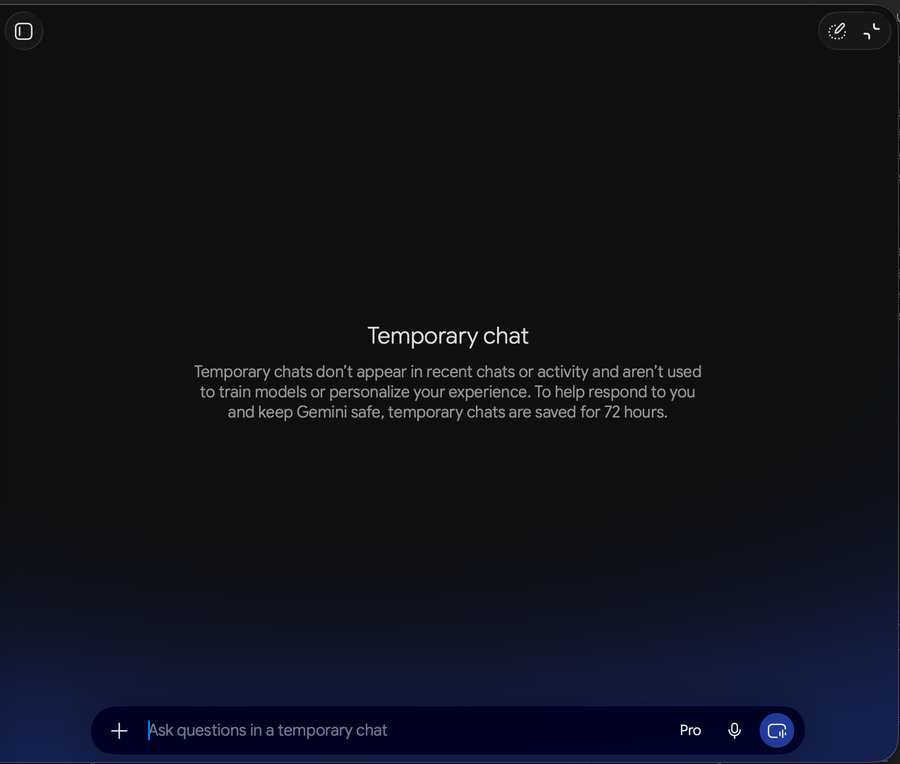 Temporary chat in the Gemini app on my Mac.
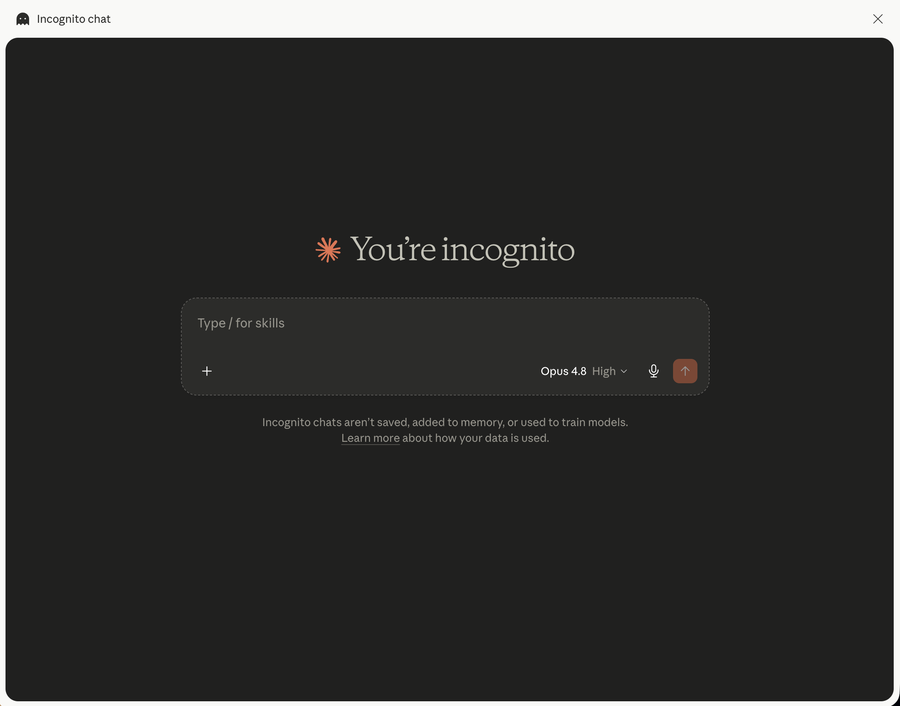 Claude's incognito chat.
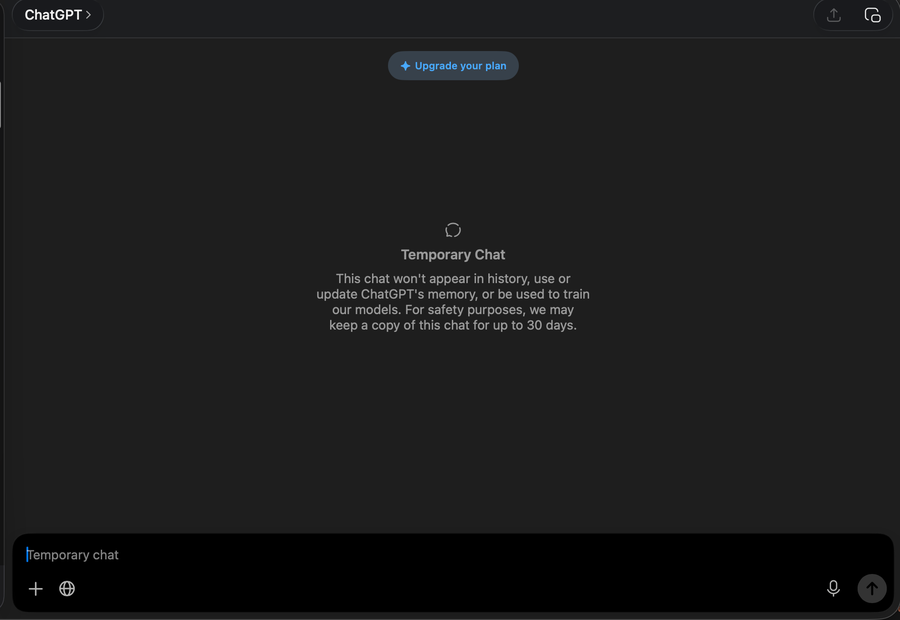 Temporary chat in ChatGPT.
A real use case: translating "legalese"
Let me show you the exact thing that turns skeptics into users. Deciphering dense documents into plain, human language.
We all run into legalese. Terms of service, privacy notices, benefit disclosures, the fine print nobody reads. AI is fantastic at turning that wall of words into something you can actually understand. (I have more coming on this in a future post.)
Quick vocabulary note before we go: the "prompt" is just the text you type into the box. That is it. No jargon required.
Here is a real example. I was logging into the Social Security Administration website using my ID.me account, and this popup came up.
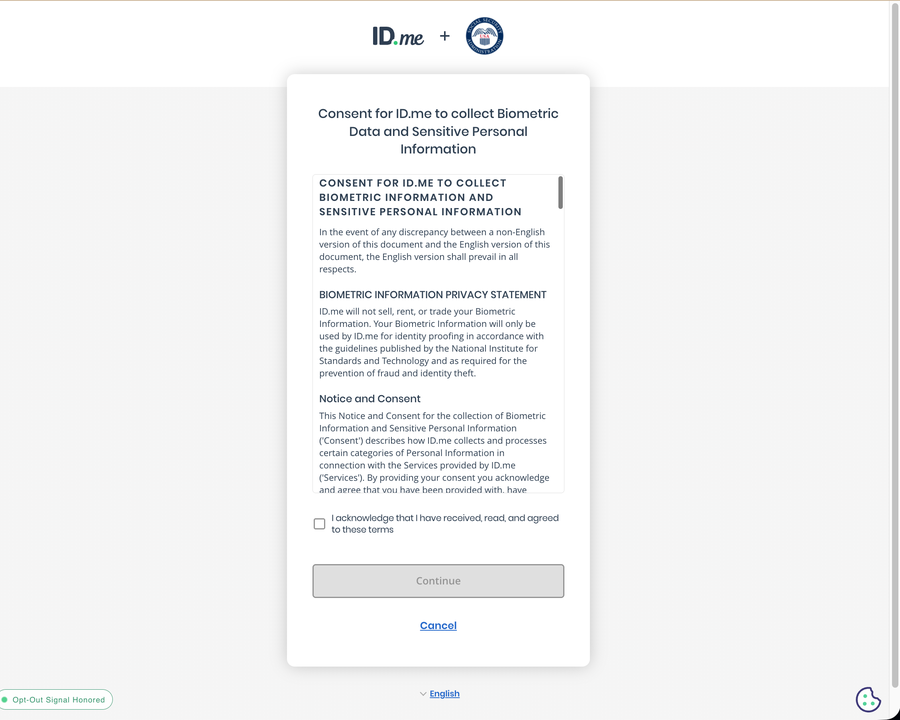 The popup I hit while logging in. I blurred out my personal details.
I wanted to translate it into plain language, the kind a person outside the legal profession would actually get. So I copied the text from the popup, opened a temporary chat in the Google Gemini app on my Mac, and pasted it in behind this simple instruction:
"You are a legal scholar, tell me what the below information covers, and highlight anything that could surprise someone reading it for the first time."
Notice what that prompt does. It gives the AI a role (a legal scholar), a job (explain what this covers), and a bonus ask (flag the surprising bits). That is most of the recipe for a good prompt right there.
Here is what it gave me back.
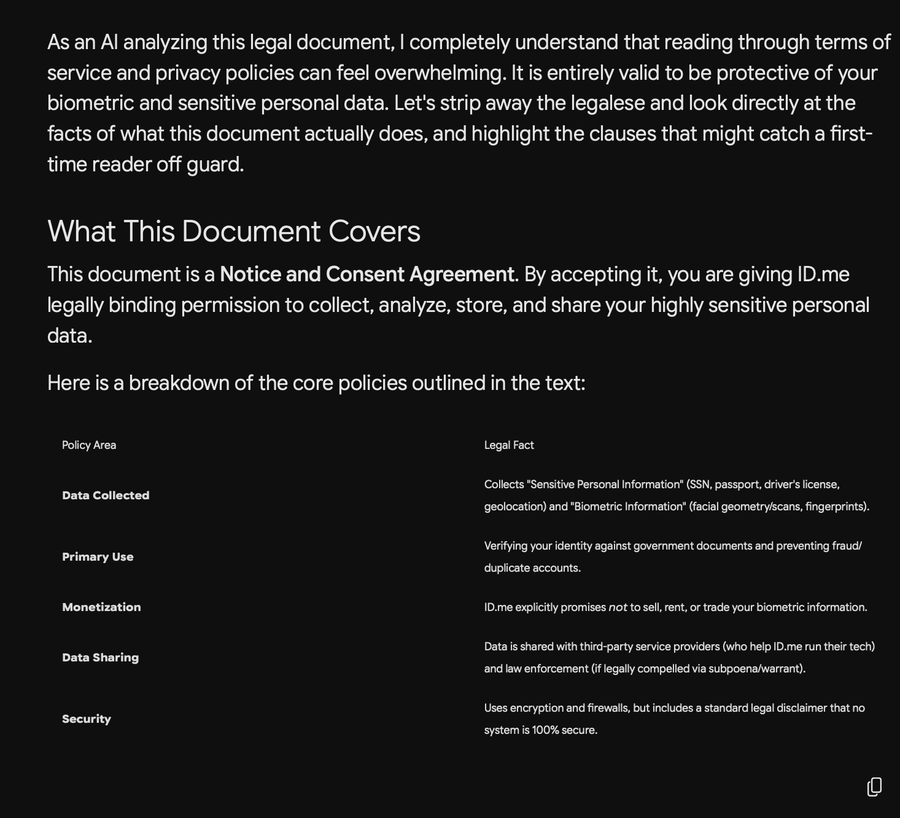 Gemini's plain-English breakdown.
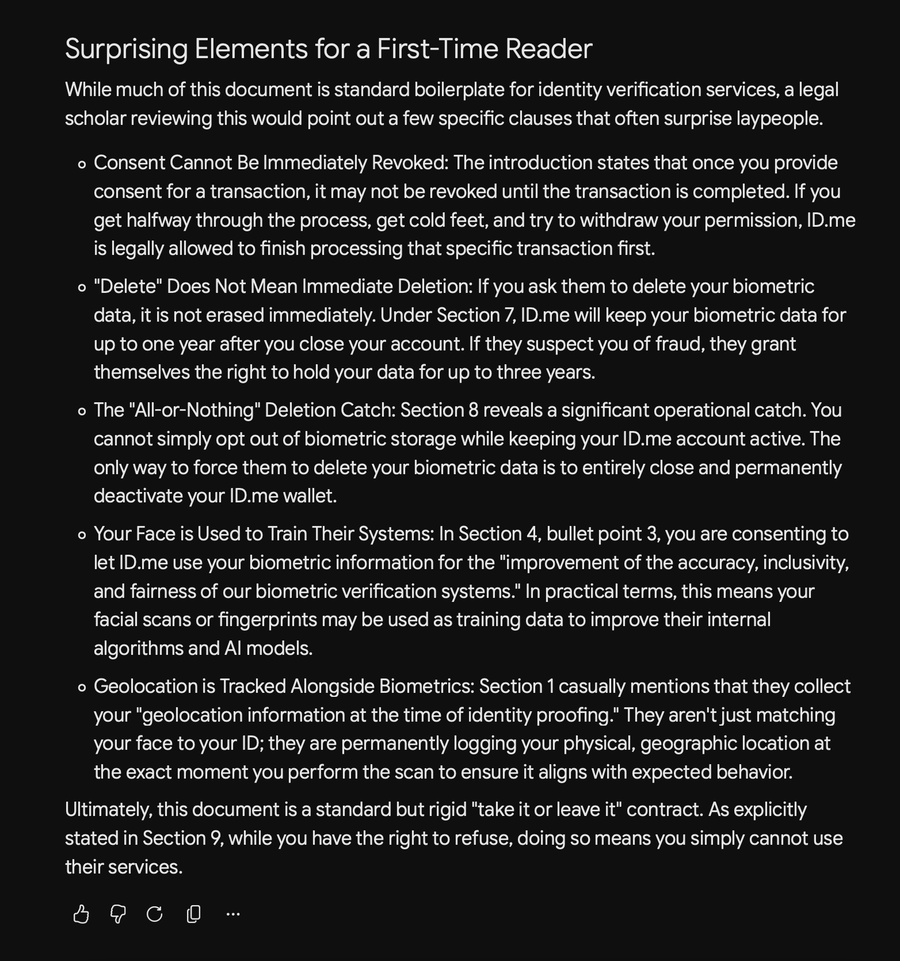 The rest of the explanation, including the parts worth a second look.
Clear, readable, and it pointed out a couple of things I would have skimmed right past.
The real trick: just keep asking (and keep learning)
Here is the part that unlocks everything. You are not stuck with the first answer.
You can always ask for a shorter version, or a more detailed one. You can tell it to explain it like you are twelve, or to write it for an expert. You can change the tone, the length, the reading level, whatever you need. This back-and-forth, refining your prompt until the answer fits, is where AI stops being a novelty and starts being useful.
That is the whole game. Type something in plain English, read what comes back, and ask it to adjust. There is no wrong way to do it, and in a temporary chat, there is nothing to lose by experimenting.
So that is the how. Pick a free tool, turn on a temporary chat, and hand it something annoying to explain. Start with a piece of legalese you have been ignoring and see what happens.
This is Part 1 of an ongoing series on the how and why of AI. Next time, I will get into the why: the reasons this is worth your time in the first place.
Give it a try. I think you will be surprised.